
Features
Everything a franchise group runs on.
Three kinds of work, on one login: running each store day to day, looking after your people, and steering the group. Anything marked Pro is part of Franzo Pro; everything else is in both packages.
Day to day
Running each store
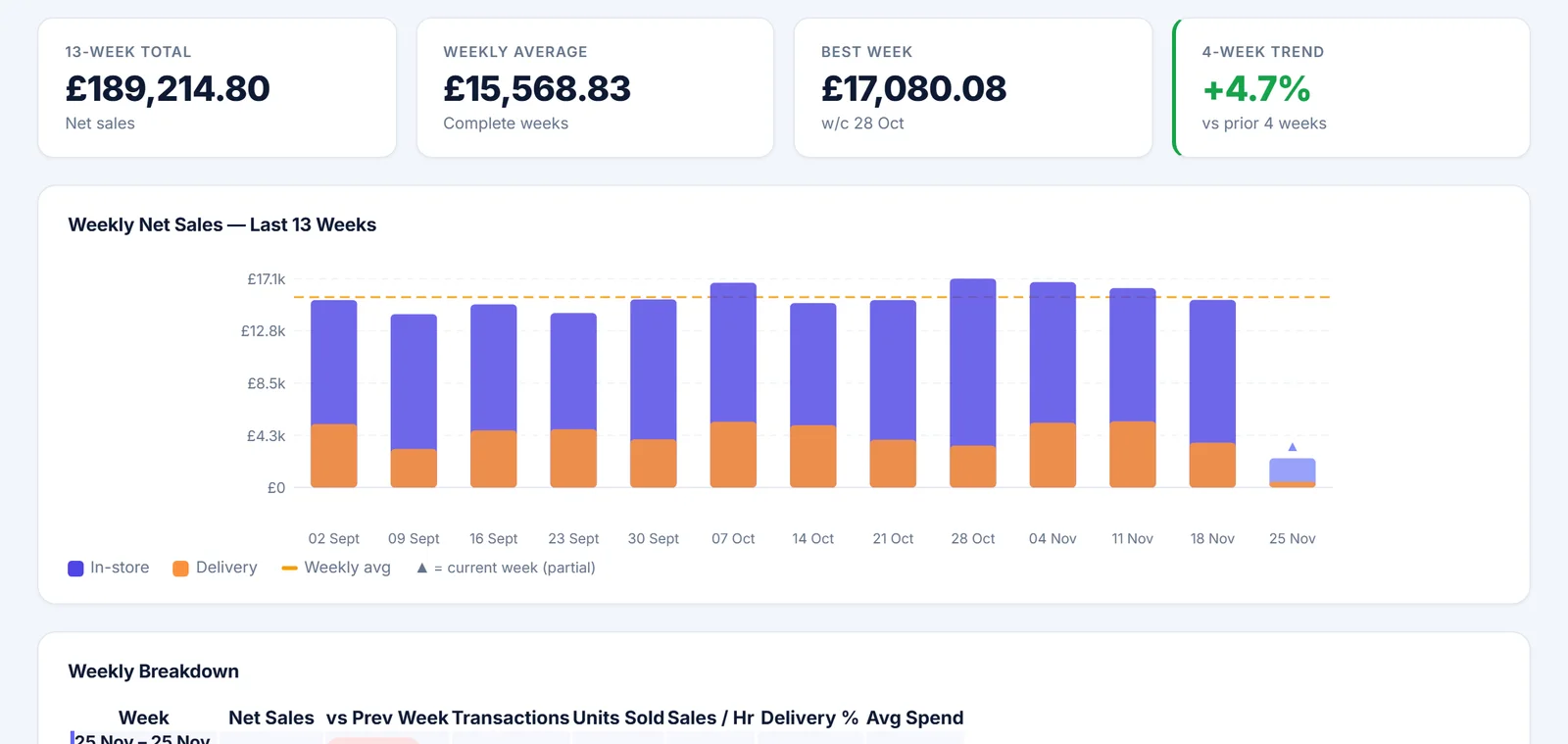
Sales, week by week
Thirteen weeks of sales for each store, in-store and delivery side by side, with the trend, the best week and sales per labour hour, read straight from your own LiveIQ account.
- Weeks run Wednesday to Tuesday, like your reports
- Delivery share and average spend for each week
- Feeds food cost with no typing
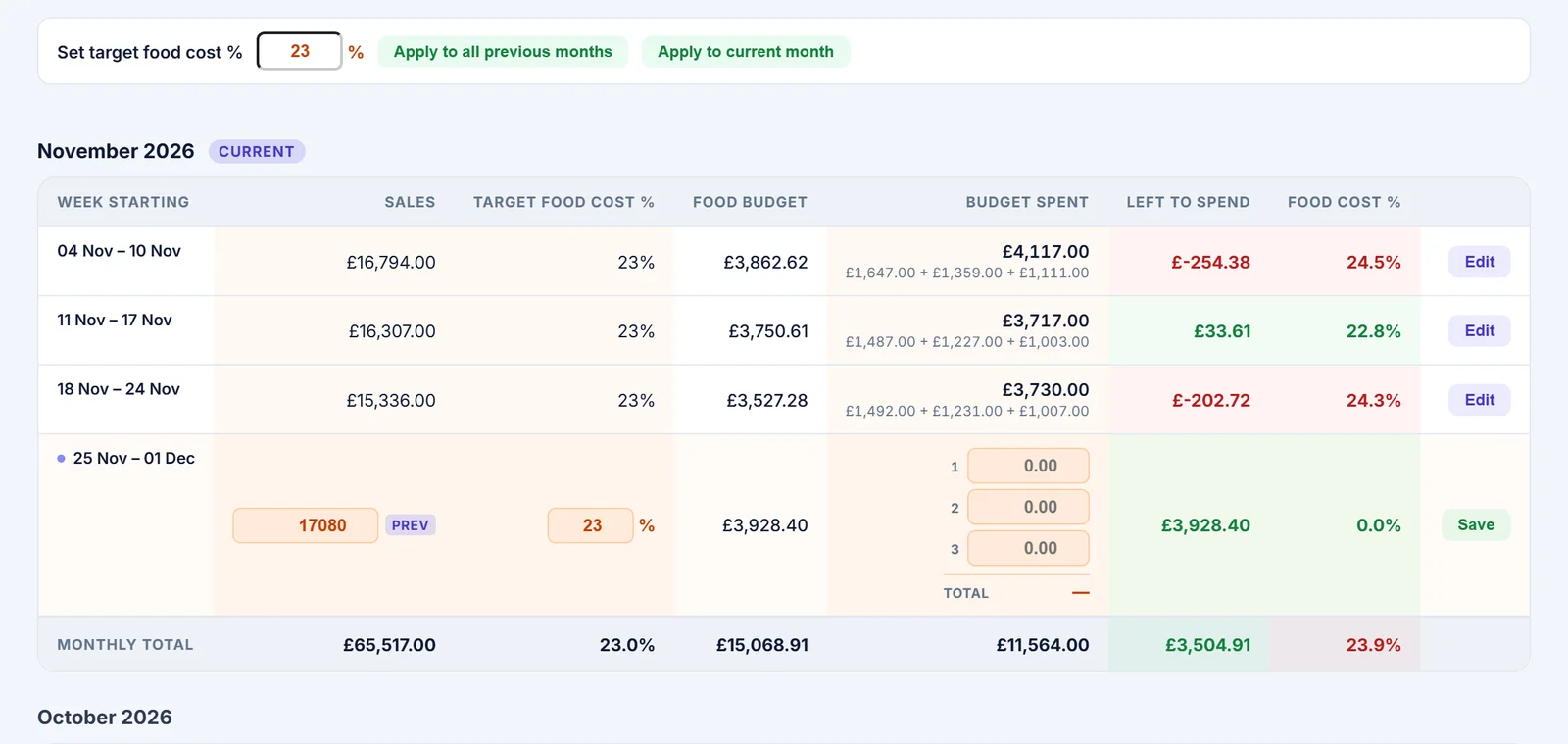
Food cost you can act on
Each week's delivery spend against that week's real sales and your target, grouped by month.
- Up to three deliveries a week, added up for you
- Green when under budget, red when over
- Only the owner can change the sales figure
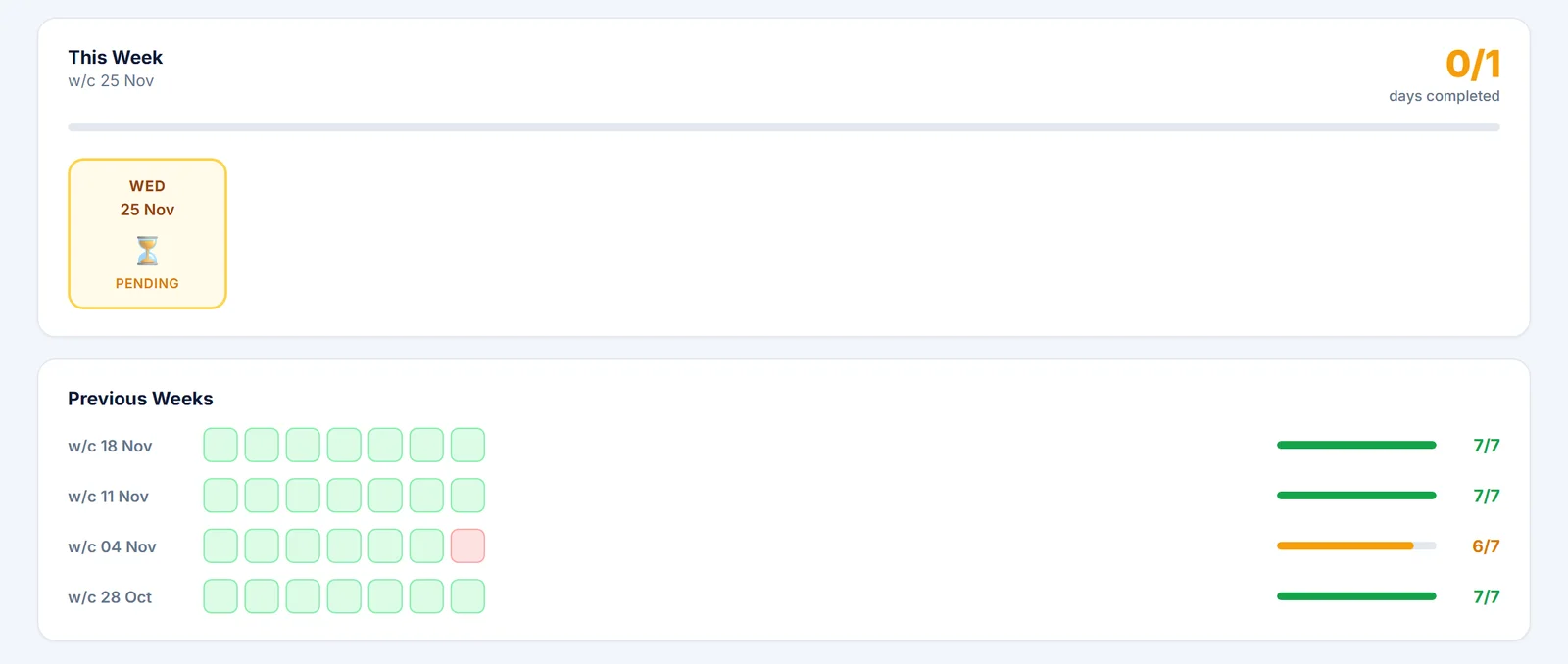
Daily checks that actually get done
The daily store checklist is filled in on a phone with a signature. Missed days stand out across every store.
- Every failed item listed, with the reason
- The last four weeks for every store at a glance
- Each report opens in one click
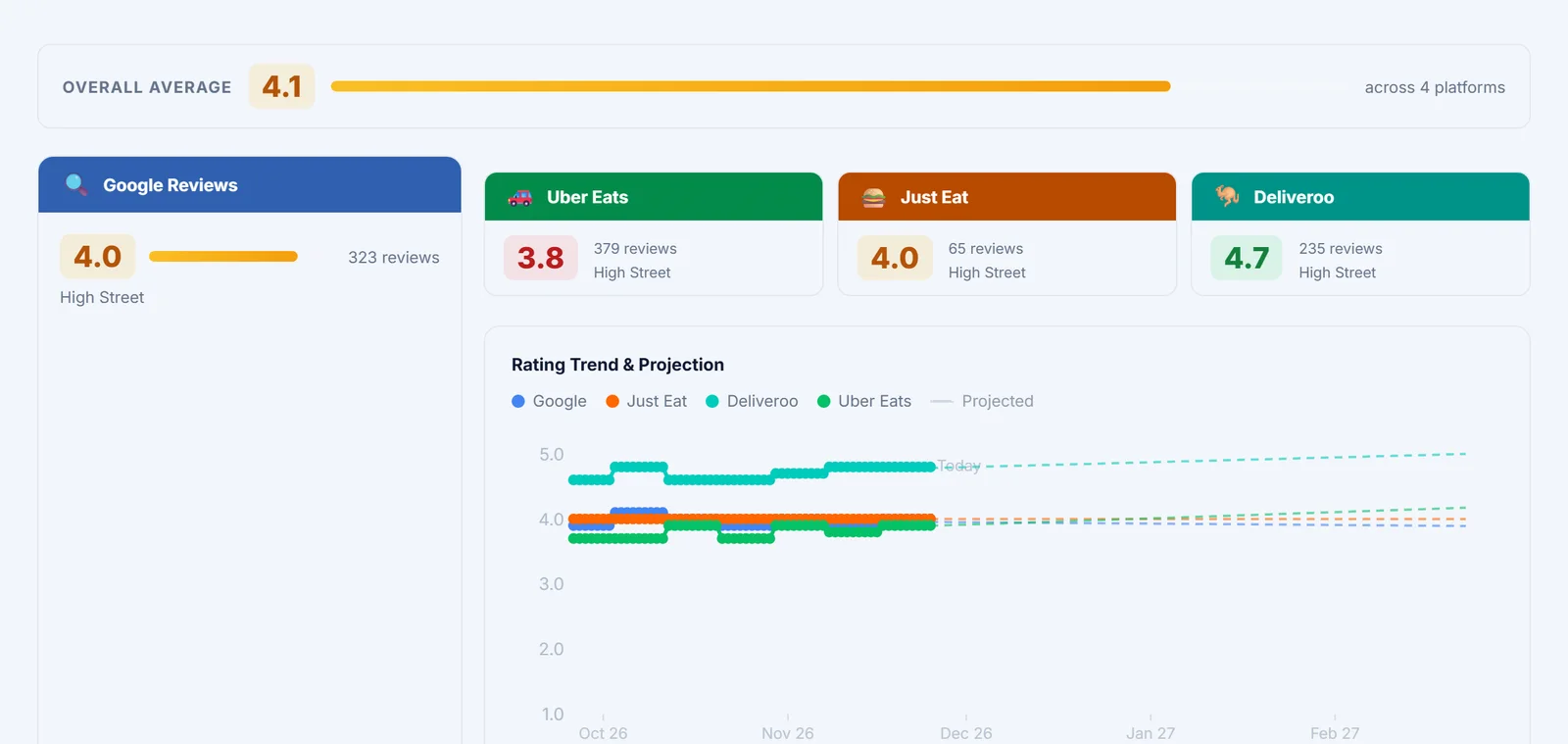
Every review, every platform
Google, Just Eat, Deliveroo and Uber Eats ratings for every store, with the trend over time, so a slipping store is spotted before the stars fall.
- A warning when a rating has stopped updating
- One daily reading kept for the trend
Bread count
Log what was baked and what was left at each stage of the day, so every store can see where it over-bakes.
Equipment faults
Faults reported with photos from the store floor, tracked until someone marks them fixed.
Key holders
Who holds each numbered key at each store, with a warning when someone who has left still has one.
Your people
Looking after staff
Rotas without the back-and-forthPro
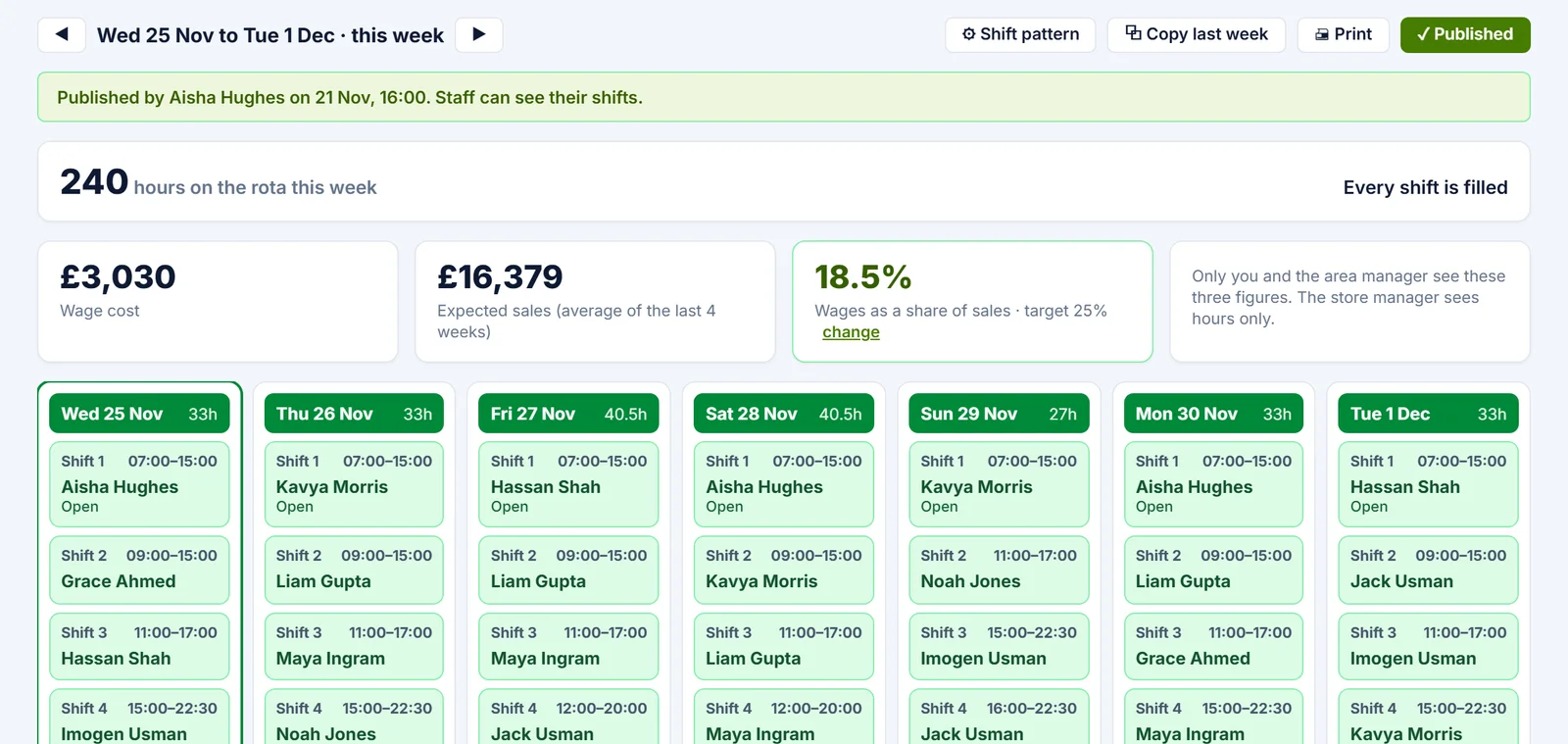
Your area manager sets each store's shift pattern once. Managers fill the shifts with a click or a drag, then publish. Staff see their own shifts on their phone.
- Warns about holidays, rest breaks and double bookings
- Staff offer shifts to colleagues; the manager approves
- Owners see wage cost as a share of sales; managers see hours
Staff records and logins
One record per person, and a login for each. Staff keep their own phone number, address and emergency contact up to date.
New starters
A sign-up link the starter fills in themselves, then their online training login, in-store booking and a training sheet signed off by the trainer and the area manager.
Warnings, coaching and exits
A clear warning ladder with expiry dates, step-by-step guidance for managers, and follow-ups that land in the task list.
Holidays and incidents
Requests and reports filed from a phone, against the right store, by the person they're about.
Training compliancePro
Upload the monthly course reports. Everyone sees their own status, and anyone behind is reminded each morning.
A staff app with nothing to install
Opens in the browser on any phone. Staff see only their own details, forms, shifts and training.
The group
Steering every store at once
All your stores on one screen
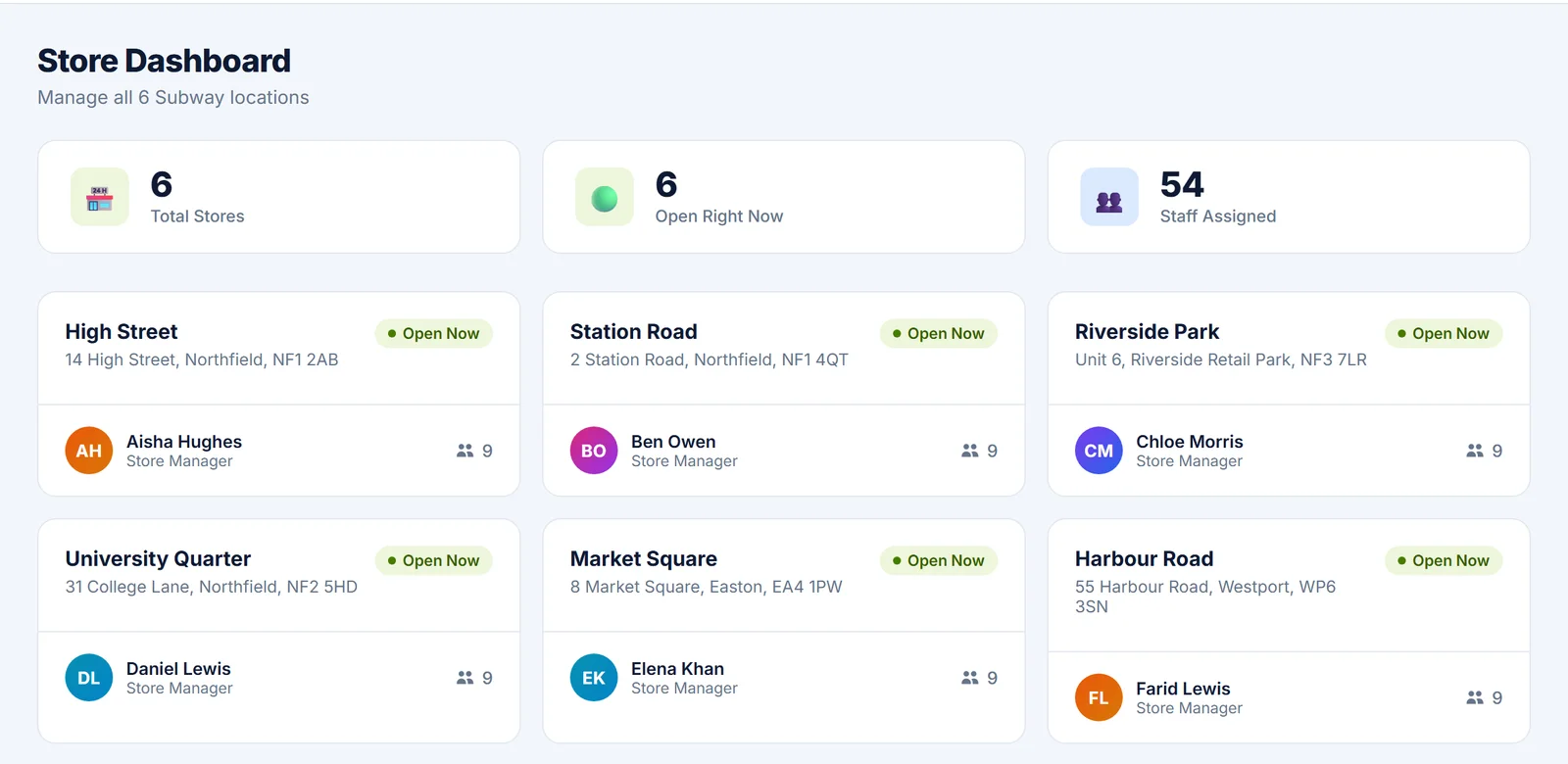
Open the overview and every store is there: who is open, how many staff, and what needs attention.
- Owners and area managers see every store
- Store managers see only their own
- One list of everything waiting on you
One task list
New starters, warning follow-ups, sign-offs, open faults and missed checks, with how long each has been waiting.
Break-even and profitPro
Each store's latest week turned into break-even, profit and margin of safety, with every figure explained.
Area manager calendar and visitsPro
A calendar you plan together, location-stamped check-ins at stores, and weekly hours against target.
Stock transfersPro
One store asks another for stock, the other accepts, the area manager approves, and everyone sees where it stands.
Roles that fit a franchise
Owner, area manager, store manager and staff each see what they need and nothing more.
History you can roll back
Every change keeps the version before it, so a mistake can be undone.
See it with your own eyes.
Ask for a login to the demo. It is full of made-up stores and staff, and every screen on this page is in it.